CG
Player movement (keyboard):
WASD - walk around
E - enter the car you're pointing at (if you are pointing at one)
Space - jump
If the cursor is visible when you are not in a car, you can just click anywhere on the screen and move the cursor, to look around. Note that if you look at a car while clicking you will not enter the car.
General car movement (keyboard, applies to all cars):
WASD - drive around
E - exit car
Tab, Shift Tab- switch camera mode
Backspace - reset car if you've tipped
Specific car movement (keyboard, does not apply to all cars):
B - boost (green hatchback, red racing car, white suv, blue convertible)
Space - brake (green hatchback, white suv, blue convertible)
Shift - toggle lights (blue pickup)
Up ↑, Down ↓ - switch gear (blue pickup: 5 gears)
T - tow (blue pickup)
Other inputs:
Esc - open pause menu, note that this has volume settings for music and sfx, even though none of those are in the game (pre-alpha test) yet. Also, if you are playing in the browser and your mouse is captured you will have to press two times to first free the cursor and then to open the menu. There is currently no way to navigate or close the pause menu with controller.
Q - open inventory, not complete. There is currently no way to navigate or close the inventory with controller.
Player movement (controller):
Left joystick - move around
Right joystick - look around
Button 1 (Sony circle, Xbox B, Nintendo A) - jump
Button 3 (Sony triangle, Xbox Y, Nintendo X) - enter car
General car movement (controller, applies to all cars):
Left joystick - drive and turn
Button 3 (Sony triangle, Xbox Y, Nintendo X) - exit car
Button 0 (Sony cross, Xbox A, Nintendo B) - reset car
Button 13/14 (D-pad Left/Right) - switch camera mode
Specific car movement (controller, does not apply to all cars):
Button 2 (Sony square, Xbox X, Nintendo Y) - boost (green hatchback, red racing car, white suv)
Button 1 (Sony circle, Xbox B, Nintendo A) - brake (green hatchback, white suv)
Button 12 (D-pad down) - toggle lights (blue pickup)
Button 9, 10 (Left/Right shoulder, Sony L1/R1, Xbox LB/RB) - switch gear (blue pickup: 5 gears)
Button 11 (D-pad up) - tow (blue pickup)
Other inputs (controller):
Button 6 (Start, Xbox Menu, Nintendo +) - open pause menu
More info:
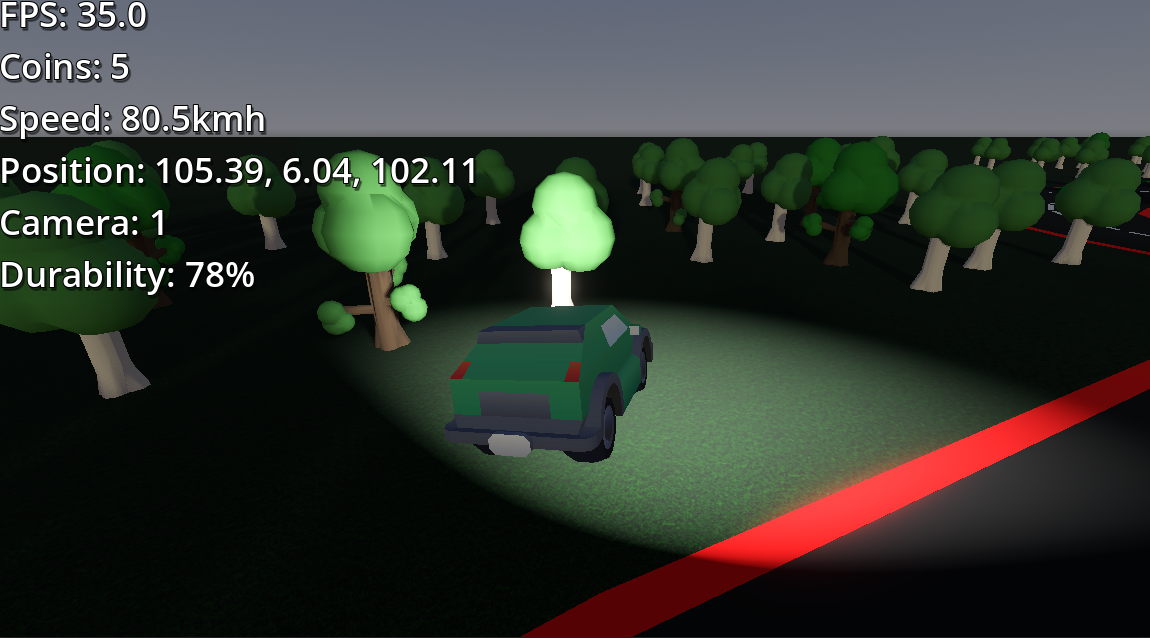
Each car has a durability, and if that reaches zero you will either get kicked out of your car (if you don't have any coins) or lose a coin and respawn. The glowing thing in the garage is a repair station, so if you drive into it you will regain durability without loosing coins. If you fall below the map there is a portal that will teleport you back up to the world origin. There is a little glowing cube just after the road ends in one place, that also teleports you back to the origin. I will add items and a working inventory in the future. There are more features but I will leave those as little Easter eggs (mainly because I can't be bothered to write them down).
If you find any bugs, issues, mistakes or problems with the documentation, tell me in the comments, and I might try to fix them. I am also trying hard to optimize this game so it runs smoothly on my 2012 laptop, but I am not very good at it, so if you have any ideas, please let me know.
I also have this update priority:
- Web
- Linux
- Windows
So, the web version will always be the most recent (or just as recent as the other ones). Windows might not get updated very often, just because I'm developing this on Linux and need both a Web and Linux version, but cant run the Windows version.
I might add Mac as well.
Download
Leave a comment
Log in with itch.io to leave a comment.